Tag: Tenant Management

Plentics February 2026 Release: Configuration Backup & Restore for Modern MSP Tenant Governance

Microsoft tenant configurations are constantly evolving — through policy updates, security adjustments, and operational changes. At the same time, customers increasingly expect traceability, recoverability, and control over configuration drift. The February 2026 Plentics Suite release introduces powerful Backup and Restore capabilities that enable MSPs to safeguard, replicate, and restore tenant configurations with confidence — and formalize configuration governance as a service.
Plentics Suite November 2025 Release: Compare Configurations Across Tenants, Spot Differences Instantly

For cloud‑native MSPs, the Plentics Suite November 2025 release introduces Compare Configurations — a fast way to validate baselines across tenants, spot missing or differing settings with clear green/yellow/red indicators, and drill into JSON diffs.

Fall 2025 Release Recap: Faster Multi‑Tenant Control for Intune MSPs, Endpoint Analytics with Business Context, and Windows 11 Readiness

These fall releases continue our focus: reduce manual work for cloud‑native MSPs and make multitenant operations for Microsoft 365 and Intune environments easier to manage and scale. The latest releases bring upgraded Tenant Management, business‑contextual Endpoint Analytics, and a dedicated Windows 11 Readiness view — plus refinements that improve daily flow.

Stronger tenant control, richer endpoint insights, and smoother daily operations for Microsoft 365 -focused MSPs

Running endpoint and tenant operations across dozens of Microsoft 365 tenants is never static. Every release of Plentics Suite aims to simplify, automate, and accelerate the daily work of MSPs. The latest update brings three areas of improvement designed to give endpoint and tenant management pros more precision and less overhead.

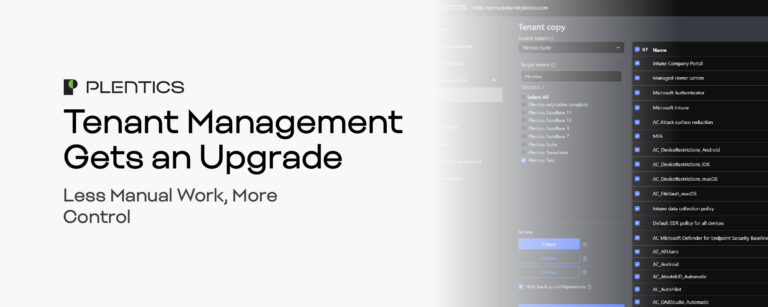
Tenant Management Gets an Upgrade – Less Manual Work, More Control

For many MSPs, keeping Microsoft Intune tenants aligned is a hidden time sink. Updating policies, replicating configurations, and ensuring consistency across multiple tenants can easily consume 50–75 hours every quarter for a 25-tenant environment. That’s time not spent on high-value services — and it increases the risk of errors and configuration drift. Plentics Suite’s new Tenant Management with Tenant Copy changes that. It centralizes critical actions into one streamlined interface, automating up to 90% of repetitive maintenance tasks so your team can deliver faster, more consistent service.

What’s New in Plentics Suite: Spring & Summer 2025 Feature Highlights

We’ve rolled out a series of powerful updates to the Plentics Suite — designed to improve multitenant management, reduce licensing friction, and enhance visibility across environments

Technical Talk – Can You Copy an Intune Tenant? – Yes, We Can

This cutting-edge feature not only reduces the need for manual configuration but also minimizes the risk of human error, providing a standardized, fast, and error-free setup process.